RE360Muse
One-stop real-estate OS
Run properties, listings, sales, leasing, projects, and team finance in one workspace — for brokerages, property managers, developers, and cooperatives worldwide.
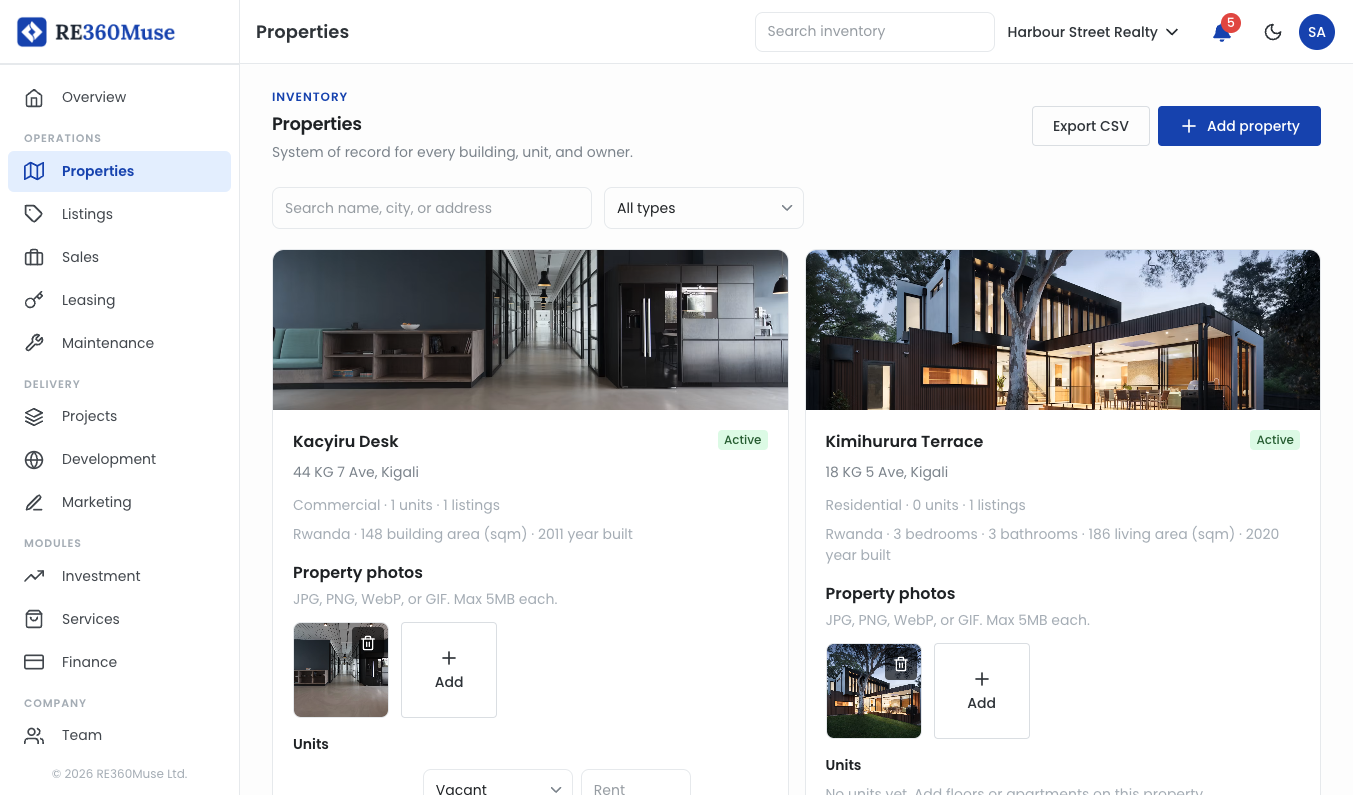
Start with the property
Listings, leads, and leases are created from a building or unit you have already recorded.
One web app
Use it in the browser, or install the same app on a phone or desktop.
Ready to use
The areas on this page are available.
Limited founding cohort (~5–10 brokerages & PMs). We help you go live on real inventory.
Apply as a founding partnerWhat you can run today
Properties, listings, sales, Marketer, leasing, projects, and the rest of the workspace.

Properties
Record every building and unit before you list, lease, or repair it.
Buildings and units
Owner on the record
The starting point for the rest of the workspace

Listings
Publish a property for sale, rent, or a short stay from inventory you already keep.
Sale, rent, and short stay
Same property, different offer
Public pages from published stock

Sales
Follow an inquiry from the first message through showing, offer, and commission.
Leads and pipeline
Showings
Commission when a deal closes
Marketer
Personal field desk for contacts, leads, pipeline, and showings — no company required to start.
Personal contacts, leads, deals, and showings
Join a company via invite, or create one if you run the brokerage
Browse that company’s properties and listings read-only
Report a close: company deal, pending commission, contacts copied to Sales
After Sales pays out, commission lands in your personal Finance wallet

Leasing
Take applications, sign the lease, and charge rent on the unit.
Rental applications
Lease documents and e-sign
Rent and deposits

Maintenance
Log and assign repair work on a building or unit. Construction jobs stay in Projects.
Work orders
Tickets on a unit or building
Separate from construction tasks


Projects
Run a construction job on a property you already recorded.
Jobs and milestones
Field logs and photos
RFIs, punch lists, and schedule
Website
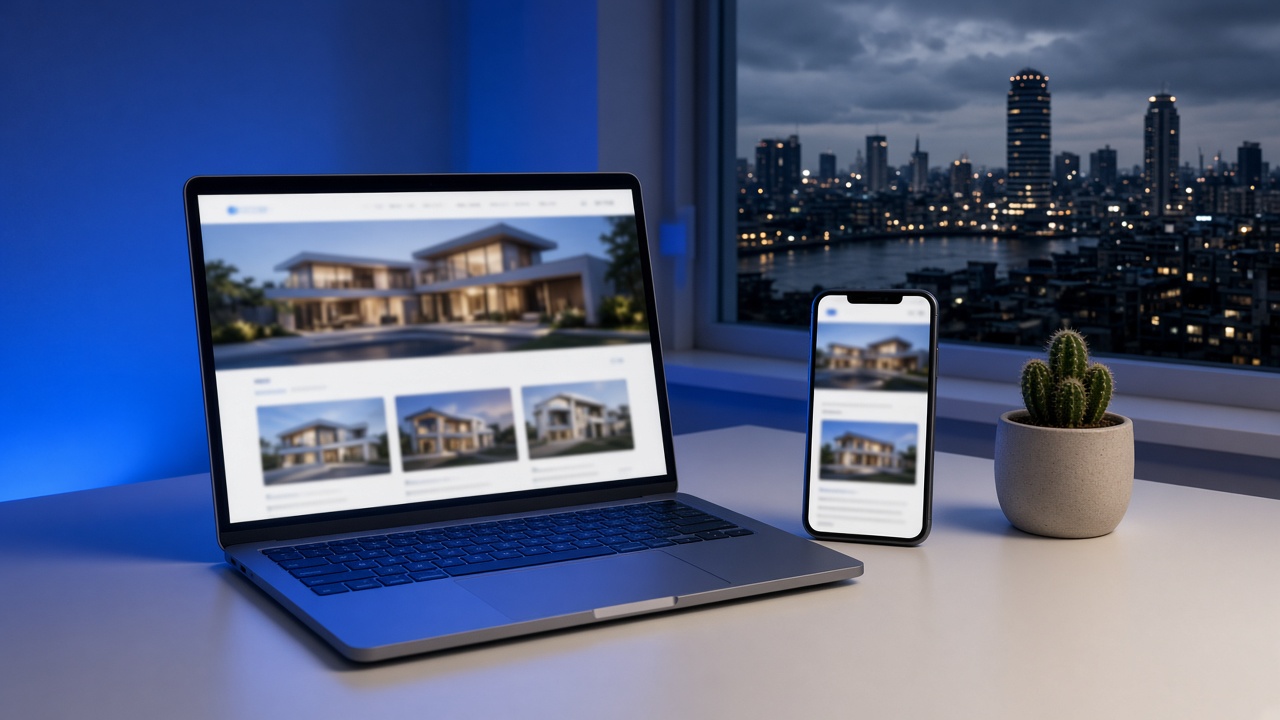
Publish a branded listing site from inventory you already keep, then edit pages and campaigns on the same public site.
Template and hostname
Pages and galleries
Campaigns and listings API
Investment
Raise capital against a property you already keep, then record pledges and payouts.
An offer on a property
Investor records
Distributions through Finance

Services
Keep preferred vendors and let other companies book work against their properties.
Vendor directory
Marketplace bookings
A queue for incoming jobs
Market
Browse sale and rent listings published by companies on RE360Muse.
Public listings
Verified companies
An inquiry goes to that company’s sales team
Operator stories
How a brokerage, field marketer, property manager, developer, and cooperative run work in the OS.
Brokerage
Listings and commission on inventory you already keep
A brokerage records the building, publishes the sale or rent listing from that unit, and keeps the inquiry, showing, and commission on it. Public Market inquiries land in Sales.
How they run itField marketer
Personal pipeline, then report the close for commission
A marketer keeps contacts and deals on Marketer without a company. After joining a team, they report the close so Sales can pay commission into their personal Finance wallet.
How they run itProperty manager
Applications, leases, and repairs on the unit
A manager records the units first. Applications, the lease, rent, and e-sign sit on that unit. A repair ticket is a work order on the same record, not a construction job.
How they run itDeveloper
Construction on a property you already recorded
A developer opens a project on the building, then logs photos, RFIs, and the punch list there. When a unit is ready to sell, the listing uses the same property.
How they run itCooperative
One company, and group savings when members move money together
Members work in one company workspace. Properties and leases are created from inventory that company records. Group savings hold money more than one member is putting in.
How they run itSee the work
Properties, listings, sales, and projects as they sit in the OS.
RE360Muse · Properties
Buildings and units
Record inventory first. Listings, leases, and jobs start here.
How it works
Property is the system of record. Open the company, add the building, then list, lease, or build from that record.

RE360Muse · Company
Company
Properties
Listings
Sales
Projects
You
Owner
Active
Agent invite
Sales
Pending
Site lead invite
Projects
Pending
Run the company from one workspace
Add the property first. Listings, deals, leases, and project work stay on that record.
Product updates
Occasional email when a shipped module changes. We do not send advertising or use third-party pixels.